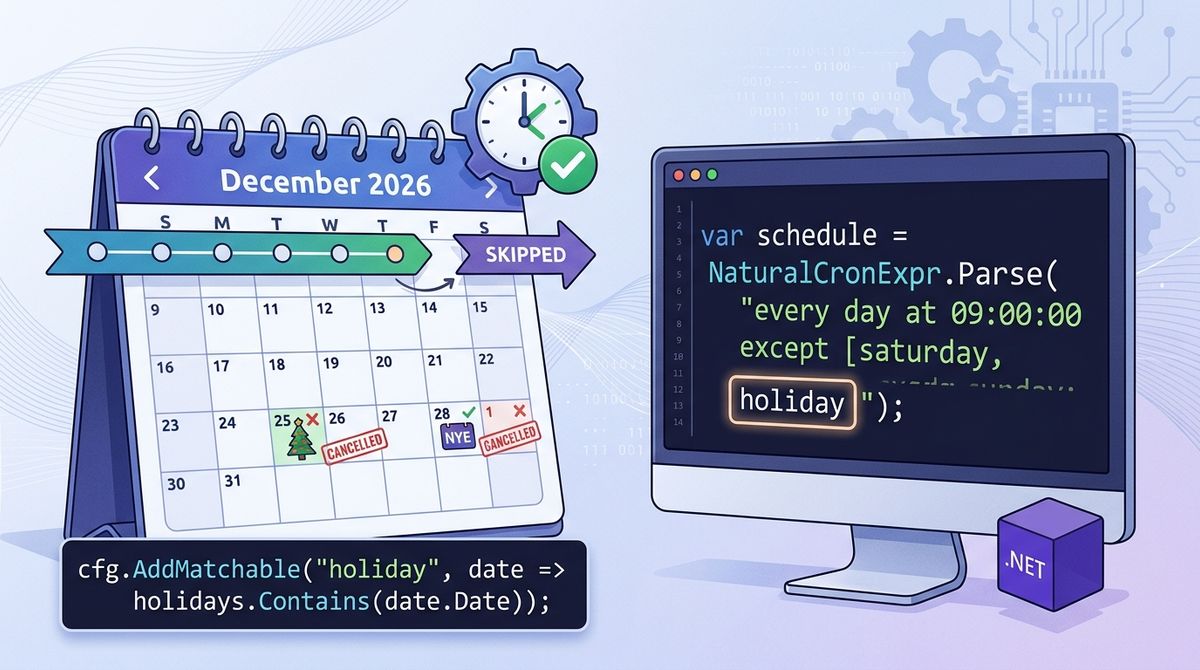
With NaturalCron 1.1, you can finally teach your .NET jobs what a holiday is. You just add your own words to the schedule, like every day at 09:00 except holiday, and then define what counts as a holiday in C#. It's like giving your scheduler a tiny bit of common sense.
How I got to this idea
A schedule like “every weekday at 9, but not on holidays” is easy to say and hard to configure. Cron has no idea what a holiday is, so the usual fix is to check the date inside the job, and then the schedule says one thing while the code does another.
After building NaturalCron, I couldn't stop thinking about holidays. My first idea was to let you plug in a holiday provider, but that turned out to be clunky and not exactly a thing of beauty.
Then one day, the idea of matchable keywords popped into my head. Since NaturalCron just keeps moving forward in time until it finds a moment that matches all the rules, I realised I didn't need to teach it about holidays at all. I just needed to let you add your own word and answer one simple question: does this moment match? That covers much more than holidays: business hours, payday, or any rule that your app needs.
Define a keyword
A custom keyword is a name plus a function that says whether a date matches. You register it once, at application startup:
using NaturalCron;
using NaturalCron.CustomRules;

var holidays = new HashSet<DateTime>
{
    new(2026, 12, 25),
    new(2027, 1, 1),
};

NaturalCronCustomKeywords.Configure(cfg =>
{
    cfg.AddMatchable("holiday", date => holidays.Contains(date.Date));
});
Use it in an expression
From then on, holiday works like any built-in value:
var schedule = NaturalCronExpr.Parse(
    "every day at 09:00:00 except [saturday, sunday, holiday]");

var from = new DateTime(2026, 12, 24, 10, 0, 0); // a Thursday
foreach (var next in schedule.GetNextOccurrences(from, 5))
{
    Console.WriteLine(next.ToString("ddd, dd MMM yyyy HH:mm"));
}
Mon, 28 Dec 2026 09:00
Tue, 29 Dec 2026 09:00
Wed, 30 Dec 2026 09:00
Thu, 31 Dec 2026 09:00
Mon, 04 Jan 2027 09:00Christmas Day, the weekends and New Year’s Day are skipped, and the schedule itself says why.
The same keyword works in other positions:
| Expression | Meaning |
|---|---|
every holiday at 08:00 | Only on holidays |
every day at 09:00 except holiday | Every day but the holidays |
every day on [holiday, 15th] at 09:00 | On holidays and on the 15th |
every day at 09:00 except holiday tz America/New_York | The same, in New York time |
Keywords are not only for days
A keyword has a time unit. The default is a day, but it can be an hour, a minute or a month. For anything more than a one-liner, write it as a class:
public class BusinessHourKeyword : INaturalCronMatchableCustomKeyword
{
    public NaturalCronTimeUnit TimeUnit => NaturalCronTimeUnit.Hour;

    public bool Match(DateTime dateTimeInTz, TimeZoneInfo timeZone)
        => dateTimeInTz.Hour >= 9 && dateTimeInTz.Hour < 18;
}cfg.AddMatchable<BusinessHourKeyword>("businessHour");every 30 minutes on businessHour then runs at 09:00, 09:30 and so on until 17:30, and starts again at 09:00 the next day.
You can also register a factory instead of a type, which lets the keyword come from your dependency injection container.
Good to know
- Keywords are registered once, before any expression is parsed. Names use letters and digits, are case-insensitive, and can’t reuse a built-in word such as
monday. - They work with
on,at,inandexcept. - The match function is called many times while searching for the next occurrence. Read from memory, for example a list of holidays cached per year, and not from a database on every call.
Try it
👉 GitHub: https://github.com/hugoj0s3/NaturalCron
👉 NuGet: NaturalCron Package
👉 Docs: Custom keywords